
Tabloid
The classic newspaper format, the most popular.

Broadsheet
Large-format newspaper, ideal for impact.


Tabloid
The classic newspaper format, the most popular.
Broadsheet
Large-format newspaper, ideal for impact.

Chapter 8
Upload your PDF to start printing your newspaper.
You'll find everything you need to know about exporting your newspaper to a printable PDF file.
If possible, use the PDF/X-1a:2001 preset.
Export your file as single pages.
Export the pages in reading order.
High-definition CMYK images.
No bleed or trim marks.
Flatten transparencies.
PDF maximum size is 400 Mo.
Single page exports are different from spread exports (two pages side-by-side). Your PDF should contain every page in the same file.
If your newspaper contains posters, pages will be printed side-by-side automatically.
The pages have to be ordered in reading order.
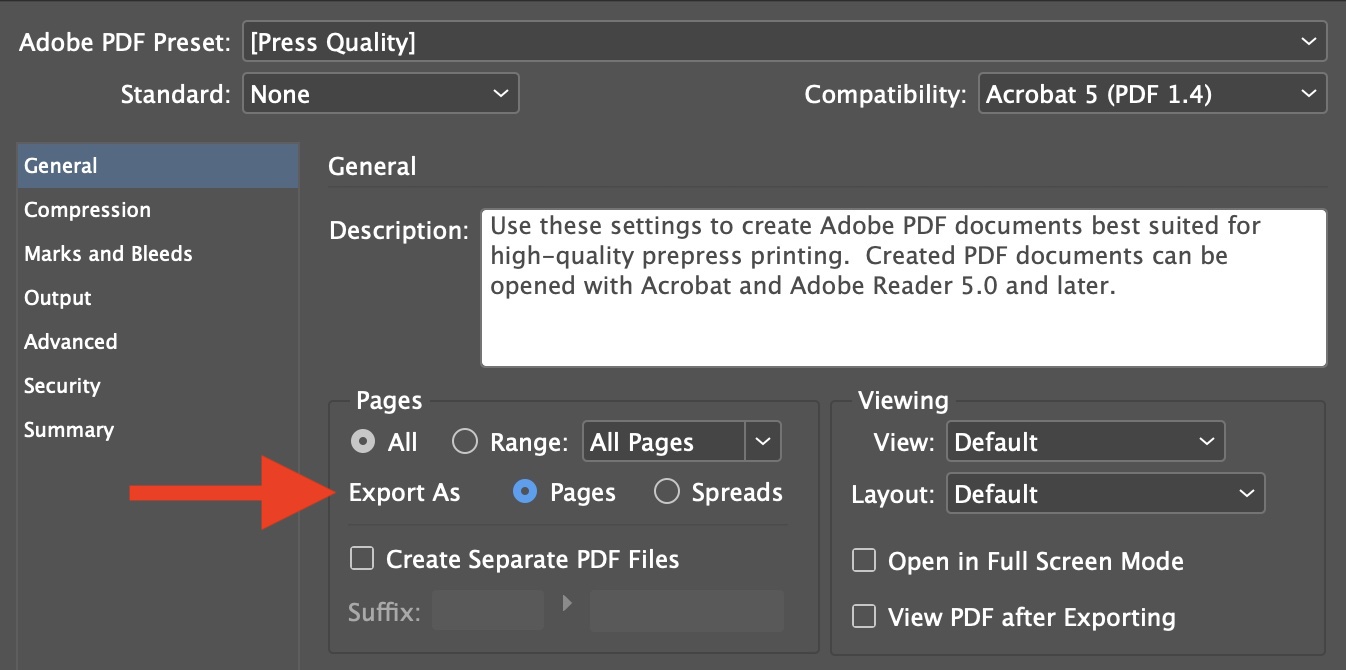
Export your file as single pages.
In order to get a lightweight PDF file, we recommend to apply a lossless compression when exporting your file. Into the 'Compression' tab, select 'JPG Automatic' compression and 'Maximum' image quality.
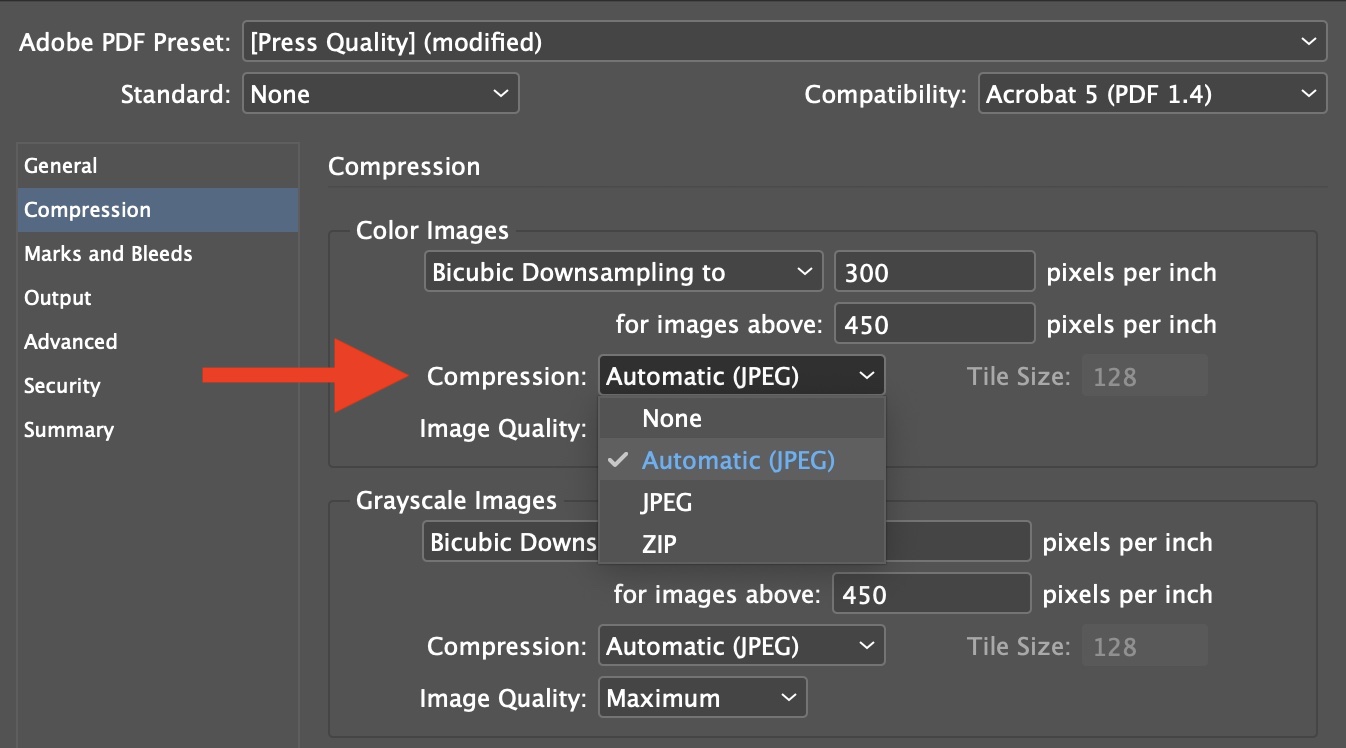
Image compression.
Digital newspaper printing process needs 10mm white margins on the top, bottom and left/right edge of each page. This margin allows the finishing line to cut the roll of newsprint in precisely the right place.
We can't print newspapers with content in the margins. Make sure to avoid crop marks in your PDF.
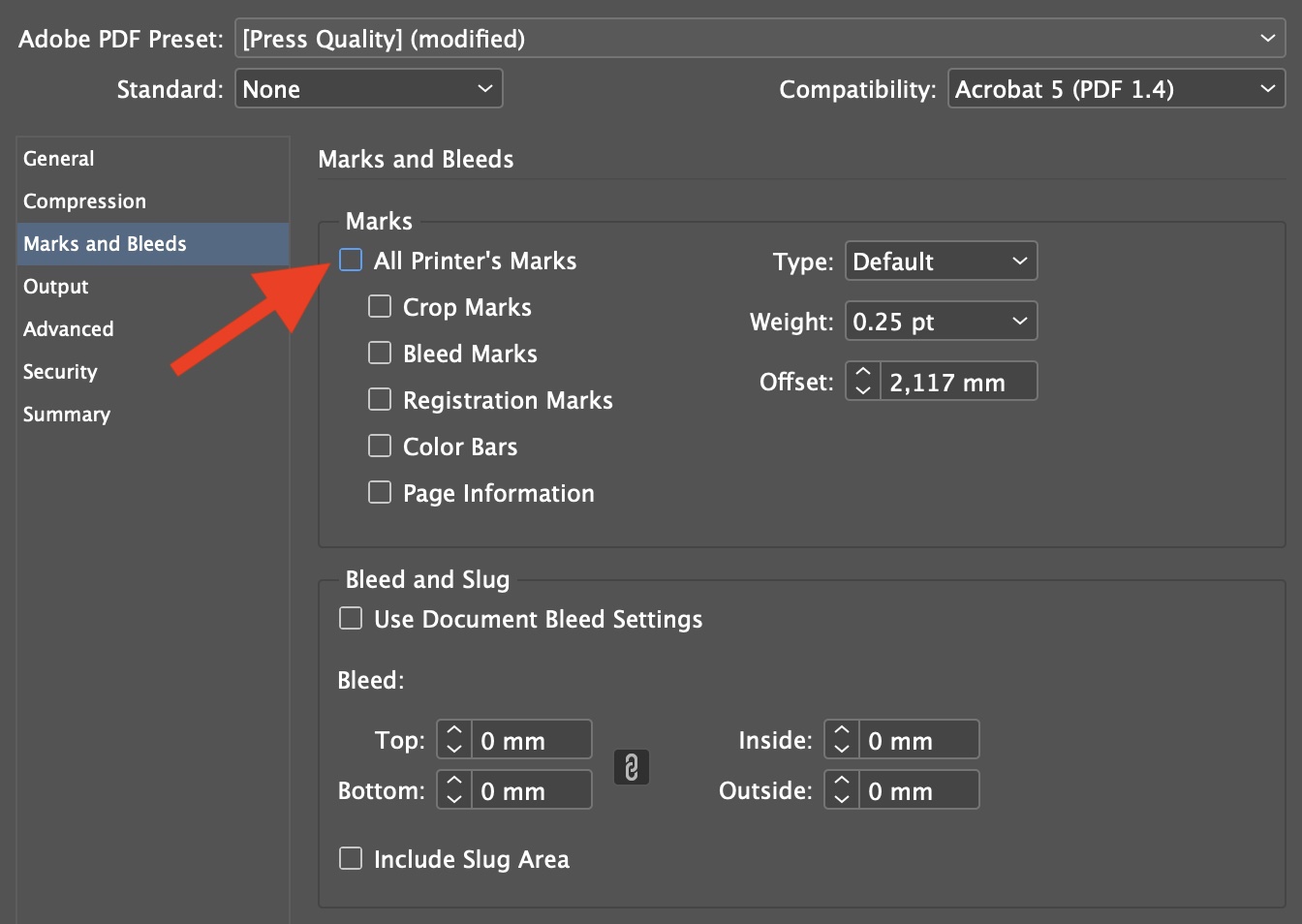
No bleed or trim marks.
Some transparencies will not print. You should flatten transparencies within your document in order to ensure your PDF printable.
Using the PDF/X-1a:2001 preset is a great way to avoid any issue with transparencies.
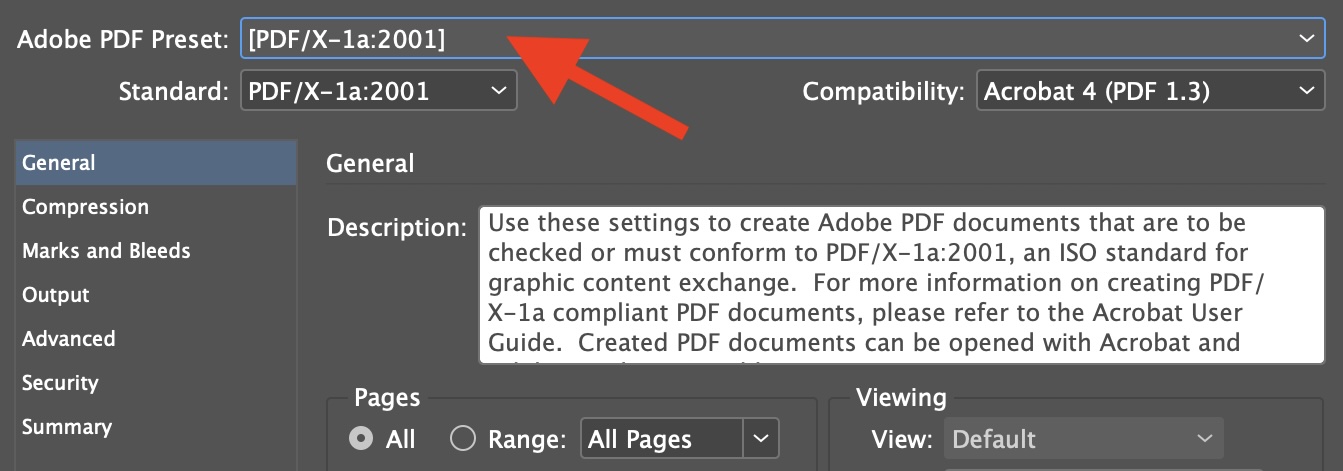
PDF/X-1a:2001 preset.
To ensure better color rendering, we recommend converting your file to FOGRA39 CMYK profile ISOcoated v2.
This ICC profile allows you to get a preview of the colors you'll get on paper.
Installing an ICC profile for InDesign:
Windows: Copy the ICC profile to 'C:/windows/system32/spool/drivers/color'
Mac: Copy the ICC profile to '/Bibliothèque/Colorsync/Profiles'
Restart your editing software to make the ICC profile available.
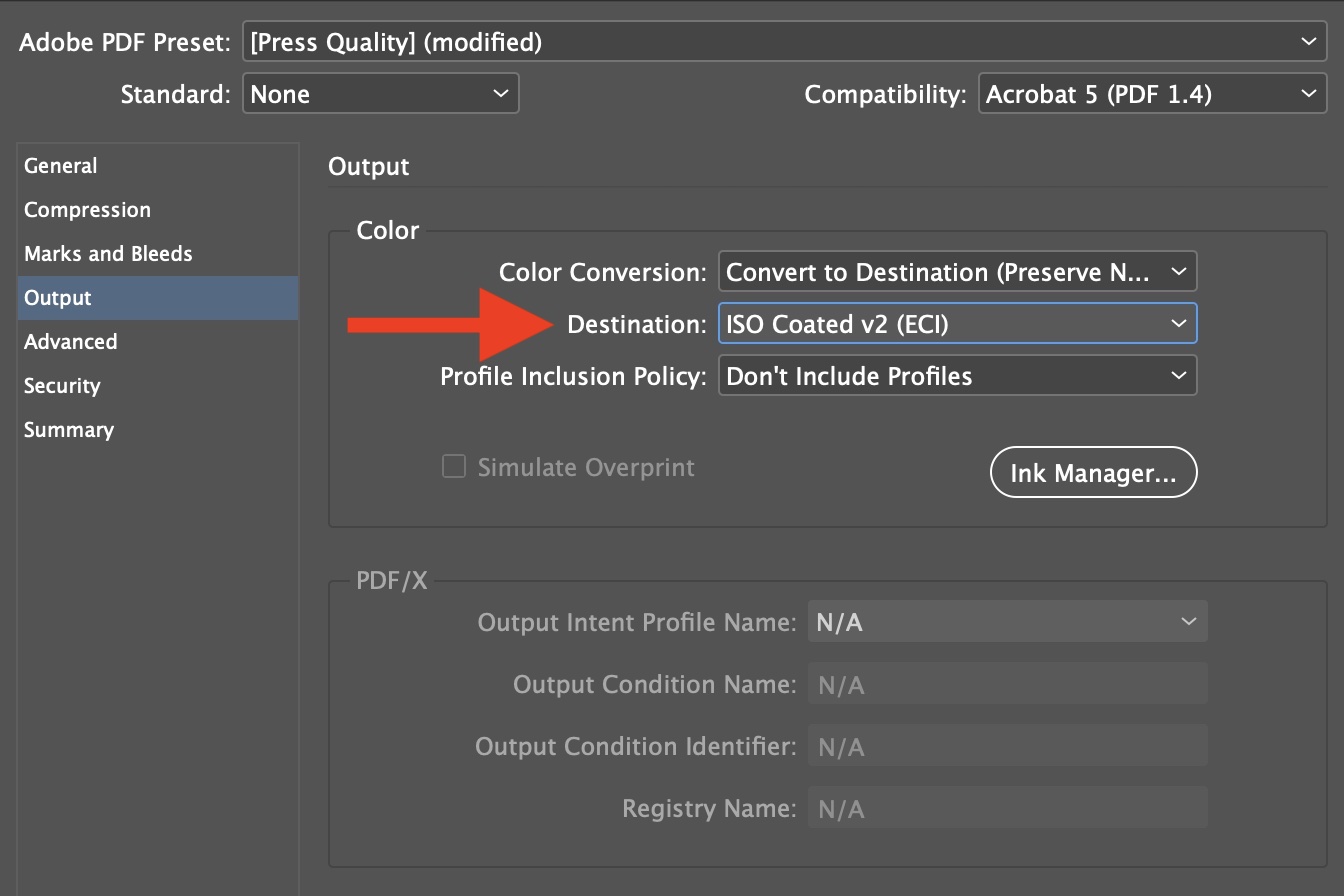
ICC profile.




