
Tabloid
The classic newspaper format, the most popular.

Broadsheet
Large-format newspaper, ideal for impact.


Tabloid
The classic newspaper format, the most popular.
Broadsheet
Large-format newspaper, ideal for impact.

Chapter 8
Upload your PDF to start printing your newspaper.
You'll find everything you need to know about exporting your newspaper to a printable PDF file.
Single page exports are different from spread exports (two pages side-by-side). Your PDF should contain every page in the same file.
If your newspaper contains posters, pages will be printed side-by-side automatically.
The pages have to be ordered in reading order.
Digital newspaper printing process needs 10mm white margins on the top, bottom and left/right edge of each page. This margin allows the finishing line to cut the roll of newsprint in precisely the right place.
We can't print newspapers with content in the margins. Make sure to avoid crop marks in your PDF.
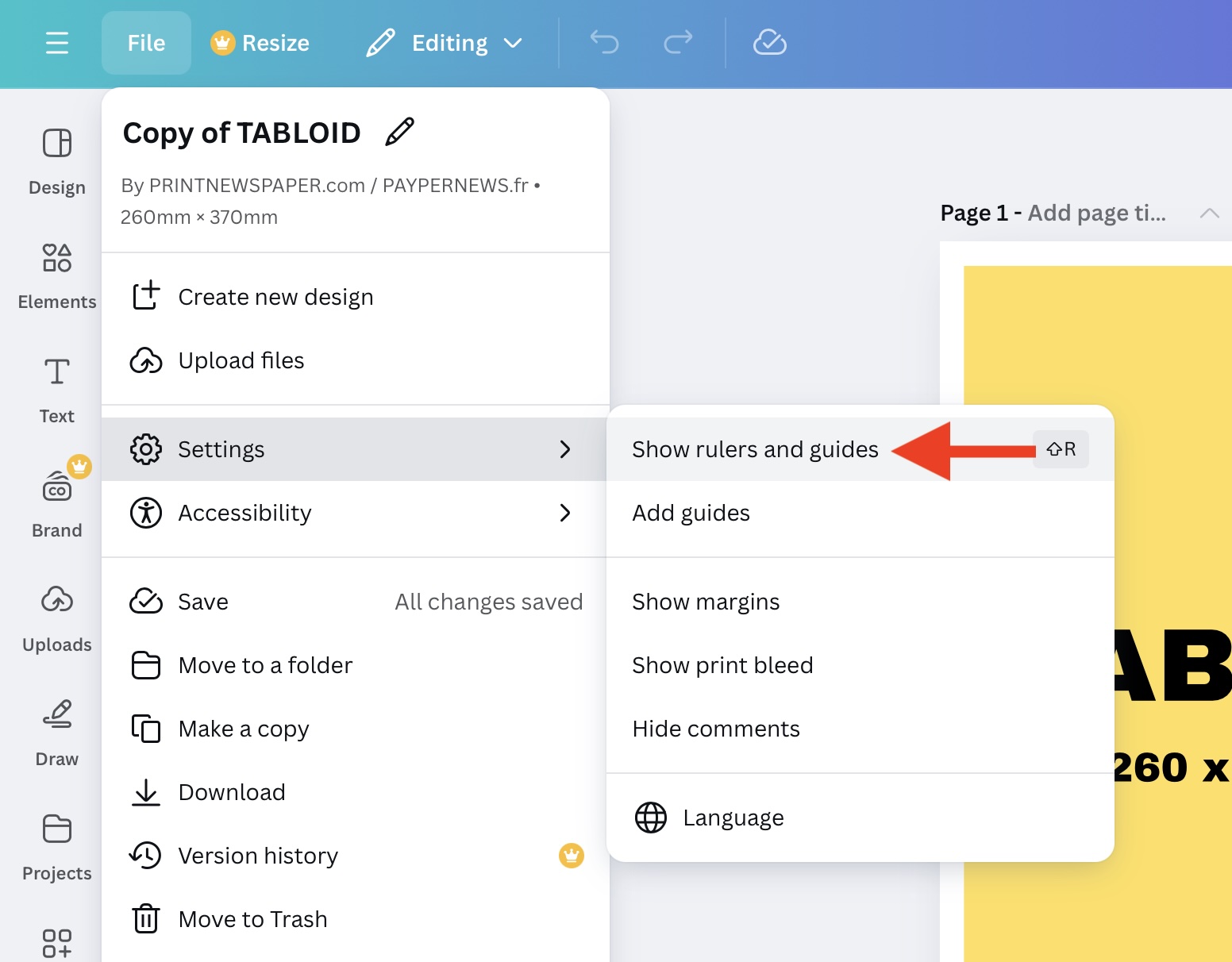
Configure rulers & guides.
A best practice is to select a ‘PDF Print’ export.
To ensure reliable colors, we recommend exporting your file in CMYK.
Although we can print your newspaper even if it is exported in RGB, the colors may be less accurate.
To ensure layout integrity and provide better printing reliability, enable the 'Flatten PDF' option.
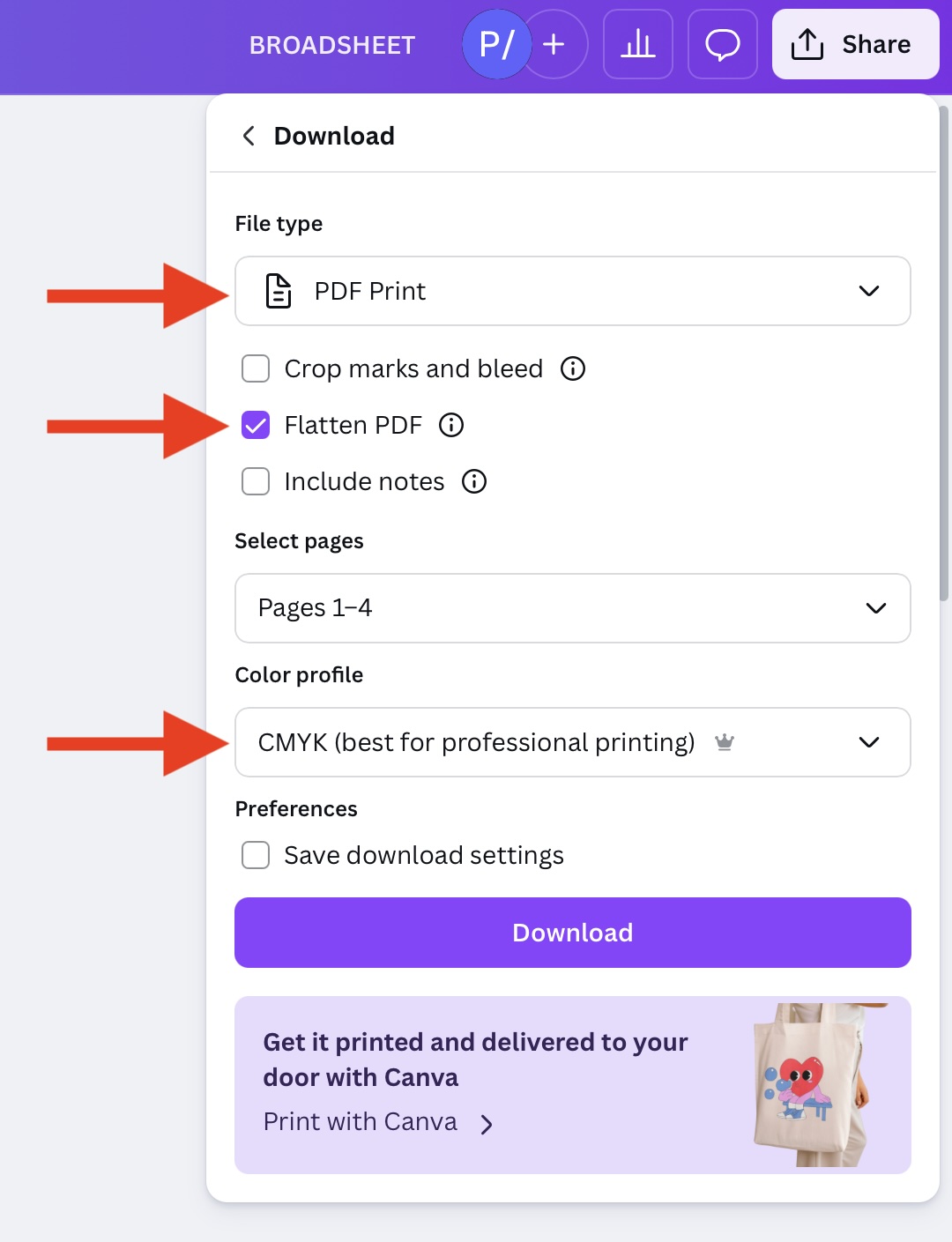
PDF export on Canva.




